Tool Calls Per Task
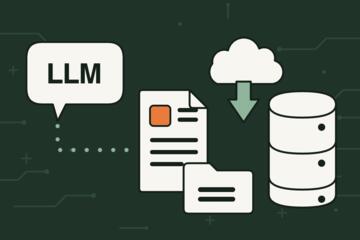
AI agents often solve a task by calling external tools in a loop: they plan, call a tool, read results, then decide the next call. “Tool calls per task” describes how many times the agent invokes tools before it produces a final answer or action. This count matters because each call can add latency, cost, and failure points such as timeouts, permission errors, or stale data. In practice, two agents can both “answer the same question” while one makes 2 tool calls and the other makes 20, and the difference shows up in responsiveness and trust.
Consider a simple example: “Find the latest hypertension guideline summary and list the key recommendations.” A tool-lean agent might do one web search, then extract the relevant sections from a single source. A tool-heavy agent might search multiple times, cross-check multiple pages, open PDFs, run a summarizer tool, and then verify citations. Both approaches can work, but the second approach increases the chance that one intermediate step fails or returns partial content.
Tool calls per task also interacts with the agent’s internal reasoning style. Some systems use a “plan-then-act” loop where each plan step triggers a tool call. Others use a “retrieve-then-reason” pattern where retrieval happens early and reasoning happens mostly in-model.
Common Pain Points
People often treat tool calls as a hidden implementation detail, then judge the agent only by the final answer. That misses the dependency chain: the agent’s output depends on tool availability, tool permissions, tool schemas, and the quality of intermediate results. If the agent makes many calls, it also multiplies the number of opportunities for the workflow to drift.
A frequent misunderstanding is that more tool calls automatically improve accuracy. In reality, extra calls can add noise. For example, multiple searches can surface conflicting versions of a document, and the agent may stitch together sections from different dates. Another misunderstanding is that tool calls are “free” because they happen behind the scenes. Even when the model token cost is stable, tool calls can trigger separate billing, rate limits, and data access logging.
Supporting technologies shape the tool-call count. Tool calling requires a tool registry (names, input schemas, output formats), a permissions layer (what data the agent can access), and a retrieval layer (search indexes, document stores, or APIs). If the retrieval layer returns low-quality snippets, the agent may call tools repeatedly to compensate, which looks like “the agent is stuck” rather than “the agent is learning.” I once reviewed an internal test log from a prototype labeled “v0.9” where the agent looped on the same endpoint because the tool returned an empty list for the first 3 attempts.
Another pain point is evaluation. Many teams measure only end-to-end success, not the number of tool calls. That makes it hard to compare versions.
Designing Lower Call Workflows
Set A Tool-Call Budget
Define a maximum number of tool calls per task type, then treat the budget as a hard constraint. For example, you might allow 1–3 calls for “summarize a known document,” 3–6 calls for “find and summarize from a small set of sources,” and 6–10 calls for “cross-check across multiple independent sources.” When the budget is hit, the agent should return a partial result with a clear explanation of what it could not verify. This prevents silent failure modes where the agent keeps calling tools until it times out.
In practice, you can log tool-call counts and stop reasons. If you see frequent “budget exhausted” outcomes, you can adjust task scope, improve tool outputs, or refine the retrieval step. A mild frustration shows up when teams set a budget but still ask the agent to do open-ended research; the budget becomes a ceiling on a task that never had a bounded target.
Constrain Inputs And Targets
Reduce ambiguity so the agent does not need repeated searches. Instead of “find the latest guideline,” specify the organization, region, and document type, such as “latest adult hypertension guideline from a specific national society, published in 2024 or later.” If the task requires citations, require a single primary source first, then optional secondary verification. This often cuts tool calls because the agent stops treating every step as a new discovery problem.
Tool schemas also matter. If a tool returns raw HTML, the agent may call a parsing tool repeatedly. If you can switch to a tool that returns structured fields (title, publication date, section headings), the agent can extract what it needs in fewer calls.
Prefer Retrieval Once, Then Reason
Use a two-phase pattern: retrieve relevant context early, then answer without further tool calls unless the user requests verification. For example, a health-related question can be handled by retrieving a small set of authoritative excerpts, then generating an answer that cites those excerpts. If the user asks for “show the exact recommendation wording,” you can trigger a second retrieval call. This pattern reduces tool-call loops and makes the agent’s behavior easier to audit.
When you design this pattern, watch for context truncation. If the retrieved context exceeds the model’s context window, the agent may drop key parts and then call tools again to recover missing details. A practical mitigation is to retrieve fewer, higher-quality passages and include metadata like publication date and section labels.
Measure Latency And Failure Rate
Track tool-call count alongside latency and error categories. A useful breakdown includes: tool timeout, permission denied, schema validation error, empty results, and rate limit. If tool-call count rises while success rate stays flat, the agent is likely doing redundant work. If tool-call count drops but success rate falls, the budget or constraints may be too tight for the task.
For realistic targets, many production systems aim for single-digit tool calls for bounded tasks. For open-ended research, higher counts can be acceptable, but you should still set a ceiling and require a “confidence with evidence” style output. The key is to treat tool calls as a measurable cost driver, not as a hidden implementation detail.
Case Examples
Guideline Summary With A Budget
An anonymized scenario: a patient education assistant must summarize a hypertension guideline section for adults. The task definition requires one primary source and a publication date filter. The agent uses one search tool call to locate the guideline page, then one document extraction tool call to pull the relevant section text. It produces a summary with citations to the extracted section headings. When the user asks for a second country’s recommendations, the agent performs one additional search call and one extraction call, staying within a 4-call budget for the follow-up.
The lesson is not that 2 calls always beat 10 calls. The lesson is that the task scope and evidence requirements determine the minimum number of tool calls needed for traceable results.
Medication Question With Verification
An anonymized scenario: a user asks whether a specific medication is typically first-line for a condition. The agent retrieves general drug information from a structured database tool in one call, then checks a guideline excerpt tool in a second call. If the guideline excerpt is missing or ambiguous, the agent returns a cautious answer that distinguishes “general labeling” from “guideline preference,” and it asks the user whether to proceed with broader research. This design avoids a long tool loop that might mix sources with different scopes.
In logs, the agent shows a bimodal pattern: most tasks finish in 2 calls, while a smaller fraction require 4–6 calls when the user requests deeper verification.
Checklist For Tool Calls
| Task Type | Typical Tool Calls | Main Risk | What To Do |
|---|---|---|---|
| Summarize known document | 1–2 | Wrong section selection | Constrain section name and require citations |
| Find and summarize | 2–5 | Conflicting versions | Filter by date and document type |
| Cross-check across sources | 4–8 | Stitching incompatible scopes | Require scope labels and stop at mismatch |
| Action planning with tools | 3–10 | Permission or schema errors | Validate tool inputs before calling |
Step-by-step checklist you can apply to an agent workflow:
- Write the task as a bounded target: document type, region, date range, and output format.
- Choose a tool-call budget per task type and log “calls used” plus “stop reason.”
- Design a retrieval-once phase for context, then answer without further calls unless the user requests verification.
- Require citations or evidence fields when the task involves health claims, and stop when evidence is missing.
- Run a small test set and compare success rate, latency, and tool-call distribution across versions.
Common Mistakes
One mistake is hiding tool-call counts from reviewers. If a team cannot see how many calls happened, it cannot diagnose whether failures come from reasoning or from tool dependencies. Another mistake is treating tool outputs as always clean. Many tools return incomplete data, and the agent may interpret empty results as “no evidence,” then proceed anyway.
A third mistake is using a single “max calls” number for every task. A scheduling task with a calendar tool behaves differently from a research task that needs multiple sources. If you apply the same budget, you either starve the research task or waste calls on bounded tasks.
A fourth mistake is prompt instructions that encourage repeated verification without a stop rule. For example, “verify everything with sources” can trigger a tool loop when the agent cannot find a matching excerpt. A mild frustration often appears when the agent keeps searching for the same phrase because the tool returns results that do not match the agent’s query formulation.
Finally, avoid promotional evaluation. A demo that shows one successful run does not reveal the distribution of tool calls across failures. You want logs that include tool-call counts, error categories, and timestamps. I’ve seen a “works on my machine” report where the agent used 15 calls in production but 4 calls in a local test because the retrieval index differed.
FAQ
How Do I Measure Tool Calls Per Task?
Log each tool invocation with a timestamp, tool name, input summary, and stop reason. Then compute the distribution of tool-call counts per task type (median and tail percentiles) rather than only the average.
Does Fewer Tool Calls Always Mean Better Accuracy?
No. Fewer calls can reduce latency and errors, but it can also reduce evidence coverage. Compare success rate and citation/evidence quality at the same time as tool-call count.
What Causes Tool-Call Loops?
Common causes include empty or low-quality tool outputs, ambiguous task targets, missing permissions, and prompts that request repeated verification without a stop rule. Rate limits and schema mismatches also trigger retries.
What Tool Budget Works For Health-Related Questions?
Many bounded health Q&A tasks finish in 2–5 tool calls when they retrieve a small set of authoritative excerpts first. If the task requires cross-checking across multiple guideline sources, 4–8 calls can be reasonable, but you should cap the maximum and return “evidence missing” when needed.
Should Agents Always Call Tools For Citations?
Not always. If the agent already has the relevant excerpt in context, it can cite without additional tool calls. If the excerpt is missing or outdated, a tool call becomes necessary to avoid citing the wrong version.
Author's Insight
Tool calls per task behave like a measurable “dependency tax.” Each call adds a new external surface area: permissions, schemas, retrieval quality, and timeouts. When teams track only end results, they miss how often the agent spends effort on intermediate steps that do not improve evidence quality. A practical approach is to set tool-call budgets by task type, log stop reasons, and evaluate success rate against latency and tool-call distribution. On health-related content, the safest pattern keeps retrieval bounded and stops when evidence is missing rather than searching indefinitely.
Key Takeaways
- Tool calls per task is a practical metric tied to latency, cost, and failure risk.
- Accuracy does not monotonically improve with more tool calls; extra calls can add noise and version conflicts.
- Bound the task target, set a tool-call budget, and design retrieval-once workflows for evidence-heavy answers.
- Evaluate with logs: tool-call counts, stop reasons, and error categories, not only final success.