Webhooks Vs Polling
Webhooks push events from one system to another over an HTTP request when something changes. Polling repeatedly asks a system for the latest state on a schedule, such as every 60 seconds for new lab results. Both approaches can move the same data, but they behave differently under load, downtime, and network jitter. A webhook can arrive seconds after an event, while polling can add up to one full polling interval of delay. The “winner” depends on how much delay your workflow tolerates and how you handle retries when requests fail.
Main Problems And Pain Points
Teams often treat polling as “simple” and webhooks as “automatic,” then discover the hidden costs. Polling creates periodic traffic even when nothing changes, which can inflate API rate-limit pressure and database reads. Webhooks shift the burden to the receiver: if the endpoint is down or slow, events queue up upstream and may be retried with duplicates.
Timing expectations cause most mismatches. If a patient-facing workflow needs near-real-time updates, a polling interval of 15 minutes turns into a worst-case 15-minute delay, even if most updates arrive sooner. If a workflow tolerates delay but requires strict completeness, polling can be easier to reason about because each request fetches the current truth. With webhooks, you must decide whether the event payload is authoritative or whether you should fetch the resource again to confirm state.
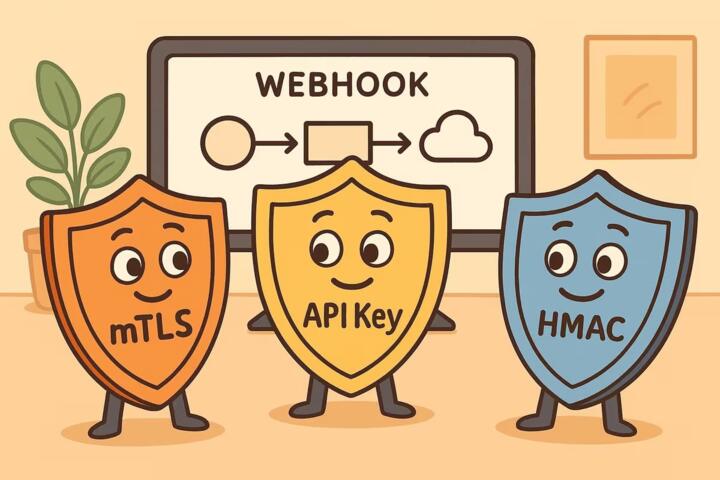
Supporting technologies shape outcomes. Webhooks rely on an HTTP server, TLS, request signing (often HMAC), and an idempotency strategy so repeated deliveries do not create duplicate records. Polling relies on scheduling, pagination, cursor handling, and a strategy for “missed” changes when the polling job fails mid-cycle. Many systems also add rate limiting and backoff rules; a polling loop that ignores them can degrade service for everyone, and it rarely works the way the docs say.
Operational failure modes differ. With polling, a job crash can stop updates until the next successful run, and the gap can be hard to detect unless you track job health. With webhooks, a receiver timeout can trigger retries; if you process without idempotency, the same event can create multiple side effects. I’ve seen teams set a webhook timeout to 30 seconds and then wonder why upstream retries spike during peak load; the receiver is effectively telling the sender “I didn’t finish.”
Solutions And Advice
Choose Based On Timing
Start with a concrete timing budget for the workflow. If users need updates within 5 seconds, polling every 60 seconds fails the requirement by design. If users can wait 10 minutes for non-urgent status changes, polling every 2–5 minutes can reduce complexity. A practical approach is to map each event type to a maximum acceptable delay and then set polling intervals or webhook expectations accordingly.
For polling, pick an interval that balances delay and load. If you poll every 60 seconds and process 50,000 checks per day, you can estimate request volume and compare it to API rate limits. For webhooks, assume delivery can be delayed during outages, so design for “eventual delivery” rather than perfect immediacy. In one integration I reviewed (Stripe API versioning dated 2024-04-10), the sender retried failed webhook deliveries with backoff; the receiver still needed idempotency to handle duplicates.
Design For Reliability
Webhooks need idempotency and verification. Store an event identifier from the webhook payload and reject repeats. Verify signatures using the sender’s documented method, then log the verification result and payload hash for audit trails. Keep webhook handlers short: acknowledge quickly, push work to a queue, and process asynchronously so timeouts do not trigger retries.
Polling needs cursor or timestamp logic. Use a “since” parameter or cursor to fetch only changes since the last successful run, and persist that cursor after the job completes. If the job fails after fetching but before persisting the cursor, you can re-fetch the same window; your downstream writes must tolerate duplicates. A mild frustration point: many teams store “last run time” but not “last processed cursor,” which breaks when multiple updates share the same timestamp.
Control Cost And Load
Polling cost is mostly request volume and database reads. If your API supports filtering and pagination, request only what changed since the last cursor. If the API has strict rate limits, add exponential backoff and jitter, and monitor 429 responses. For webhooks, cost shifts to receiver capacity and queue depth. If you accept webhooks and then do heavy work synchronously, you’ll hit timeouts and trigger retries, which increases load further.
As a practical rule, measure end-to-end latency and failure rates. Track webhook delivery success rate, average handler duration, and retry counts. Track polling job duration, number of items processed per run, and the size of the “catch-up” window after failures. I once saw a polling job that “worked” but silently fell behind for weeks because the team only monitored HTTP 200 responses, not the lag between last cursor and current data.
Use Hybrid Patterns When Needed
Some systems use both methods: webhooks for fast updates and polling as a reconciliation mechanism. For example, a receiver can process webhook events immediately, then run a periodic poll to confirm that no events were missed during downtime. This hybrid approach reduces the risk of permanent gaps while keeping latency low.
Hybrid designs still require careful deduplication. If the poll reprocesses items that were already handled from webhooks, idempotency keys should cover both paths. A common pattern is to treat the downstream write as the idempotent operation and let both webhook and polling feed it, even if the upstream signals differ.
Case Examples
Appointment Status Updates
An anonymized clinic integration sends appointment status changes from a scheduling system to an internal care coordination tool. The clinic needs updates within about 1 minute for staff workflows, and the scheduling system can emit webhooks. The receiver verifies webhook signatures, stores an idempotency key per event, and enqueues processing. A nightly poll reconciles appointments updated during any webhook downtime window. Result: staff see changes quickly, and the nightly job catches missed events without creating duplicates.
Lab Result Feeds With Rate Limits
An anonymized lab reporting pipeline pulls new results from a vendor API that enforces strict rate limits and supports cursor-based pagination. The team chooses polling because the vendor does not offer reliable webhooks for every result type. They poll every 5 minutes, store the cursor after each successful run, and re-fetch the last page on failure to avoid gaps. Downstream writes are idempotent using the lab result identifier. Result: the system stays within rate limits and recovers from job failures without losing results, though worst-case delay stays under the polling interval.
Comparison Table And Checklist
| Decision Factor | Webhooks Fit When | Polling Fits When | Hybrid Helps When |
|---|---|---|---|
| Max Acceptable Delay | Seconds to low minutes | Minutes to hours | Low latency plus gap recovery |
| Receiver Control | You can run a reliable HTTP endpoint | You can schedule jobs and handle cursors | You can do both safely |
| Duplicate Handling | Idempotency keys are available | Re-fetch windows can be deduped | Both paths share one idempotent write |
| Upstream Rate Limits | Push avoids repeated reads | You can stay within limits | Poll only for reconciliation |
| Outage Recovery | Sender retries plus receiver dedupe | Cursor resumes after job recovery | Poll catches webhook gaps |
Step-by-step checklist for choosing:
- List each event type and assign a maximum acceptable delay in minutes.
- Confirm whether the sender supports webhooks and whether it signs payloads.
- For webhooks, verify you can store event IDs and enforce idempotency on the write path.
- For polling, confirm the API supports cursor or “since” queries and stable pagination.
- Set monitoring for lag: webhook processing time and retry counts, or polling cursor lag and job duration.
- Test failure modes: receiver downtime, sender retries, job crashes, and partial processing.
- Decide whether a reconciliation poll is needed for gap recovery.
Common Mistakes
One mistake is treating webhook payloads as guaranteed truth without verification. Even with signature checks, the receiver can still face out-of-order delivery or retries after timeouts. If the downstream system requires a consistent state, the handler should fetch the current resource state before applying side effects, or it should design side effects to be order-independent.
Another mistake is missing idempotency. Without it, webhook retries create duplicate appointments, duplicate billing triggers, or repeated notifications. With polling, duplicates happen when the job re-fetches the same cursor window after a crash. Idempotency keys should be based on stable identifiers, not on “received at” timestamps.
Teams also misconfigure timeouts and retries. A webhook endpoint that takes too long to respond causes upstream retries, which increases load and can create a feedback loop. Polling jobs that run longer than their interval can overlap, producing race conditions and inconsistent cursor updates.
Finally, teams skip monitoring that reveals lag. HTTP success codes do not show whether the system is behind. Track “time since last processed change” and alert when it exceeds your acceptable delay budget. If you only watch error logs, you’ll miss the slow failure where everything returns 200 but the cursor never advances.
FAQ
Do Webhooks Guarantee Delivery?
No. Webhooks typically use retries on failure, but delivery can still be delayed or missed during extended outages. A receiver should treat events as at-least-once and use idempotency, or add periodic reconciliation polling.
How Do I Prevent Duplicate Records?
Use a stable idempotency key from the webhook event (such as an event ID) or from the resource identifier when polling. Enforce uniqueness at the database or application write layer so repeated processing does not create new rows.
What Polling Interval Should I Use?
Set it from the workflow’s maximum acceptable delay and the API’s rate limits. If the worst-case delay must stay under 2 minutes, polling every 60 seconds fits; if the API throttles, you may need a longer interval plus reconciliation logic.
Which Method Costs More?
Polling costs repeated reads and job scheduling overhead, while webhooks cost receiver capacity and queue depth during spikes. Measure request volume for polling and handler duration plus retry rates for webhooks rather than guessing.
Can I Use Both Together?
Yes. A common pattern uses webhooks for fast updates and a scheduled poll for reconciliation. Both paths must share the same deduplication rules so the poll does not re-trigger side effects already handled from webhooks.
Author's Insight
Webhooks and polling both implement “change detection,” but they shift failure modes. Webhooks concentrate reliability work on the receiver: signature verification, idempotency, and short response times. Polling concentrates reliability work on the scheduler: cursor correctness, backoff behavior, and lag monitoring. In practice, teams often get the best results by pairing webhooks with a reconciliation poll for gap recovery, then measuring lag and duplicates in staging before going live.
Key Takeaways
- Choose based on delay tolerance and the ability to handle retries and duplicates.
- Webhooks demand idempotency and fast acknowledgements; polling demands correct cursors and lag monitoring.
- Measure real outcomes: latency, retry counts, job duration, cursor lag, and duplicate rate.
- Hybrid designs reduce gaps but require one shared deduplication strategy.