Accounting Software Basics
Accounting software for small businesses records transactions, organizes documents, and produces reports such as profit and loss, balance sheet, and cash flow summaries. Most packages also handle invoicing, expense capture, and tax-ready exports, but the details vary by country, industry, and how you pay vendors and employees.
A practical example: if you run a service business and bill clients monthly, you need invoice numbering, payment status tracking, and a way to match payments to invoices. If you sell products, you also need inventory tracking rules and cost-of-goods calculations that match your accounting method.
Another example: if you rely on a business credit card, bank feeds can import transactions automatically. The software still needs categorization rules, because a feed that imports “POS purchase” entries without mapping them to the right expense accounts will distort reports until you clean it up.
Common Pain Points
Small business owners often get trapped by feature lists that ignore workflow fit. A tool that looks strong on paper can still fail if it requires manual re-entry of invoices, if it can’t import bank data in your preferred format, or if it produces reports that don’t match your tax categories.
Another frequent issue involves chart of accounts design. If you start with a generic chart and never adjust it, you end up with categories that are too broad for tax reporting or too narrow for decision-making. That mismatch shows up later when you try to reconcile accounts or explain variances to a bookkeeper.
Bank feeds and reconciliation are also a dependency chain, not a single checkbox. Feeds depend on your bank’s transaction descriptions, the software’s matching logic, and your categorization rules. When the descriptions change, the software may stop matching and you’ll see a backlog of uncategorized items.
Payroll handoffs create another dependency. Some systems export payroll summaries, while others sync employee earnings and taxes. If you use a separate payroll provider, you need to confirm how the accounting package records wages, employer taxes, and year-end forms.
Finally, document retention and audit trails matter. If you store receipts outside the accounting system, you still need a consistent way to link them to transactions. Without that link, you can end up with “paper trails” that don’t survive a tax review.
How To Choose Software
Start With Your Reporting Needs
List the reports you actually use: monthly profit and loss, cash-basis or accrual-basis statements, sales tax summaries, and aging reports for receivables. Then check whether the software supports your accounting basis and whether it can export the same numbers your accountant expects.
For a quick test, run a trial with a small dataset from the last 30–60 days. If you use accrual accounting, confirm that invoices and bills post to the right periods even when payments arrive later. If you use cash accounting, confirm that the reports shift based on payment dates rather than invoice dates.
As an aside from implementation work I’ve reviewed, many teams discover their “real” requirement is not the report itself but the mapping behind it—sales tax codes, expense categories, and how refunds reverse prior entries.
Verify Bank Feeds And Reconciliation
Check whether the software offers bank feeds for your specific bank and whether it supports recurring transaction rules. During the trial, connect one account and observe how many transactions auto-match within the first week. If you see a high manual cleanup rate, you’ll spend time every month reconciling instead of closing books.
Look for reconciliation tools that show differences between imported transactions and ledger entries. A useful sign is the ability to mark transactions as cleared and to generate a reconciliation report you can archive.
One mild frustration: many feeds import descriptions that are truncated or inconsistent, so you still need rules for merchants and payment types. In my experience reading support threads, the “matching rate” depends heavily on how your bank formats merchant names.
Test Invoicing, Bills, And Payments
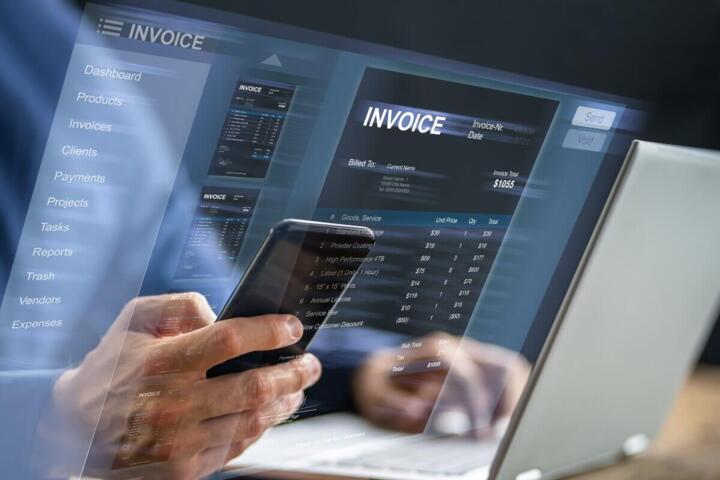
Invoicing should cover your billing model: recurring invoices, partial payments, credit notes, and invoice templates. Bills should support vendor tracking, due dates, and attachment of receipts or statements. If you accept online payments, confirm how payment status updates and how fees from payment processors are recorded.
During the trial, create 3–5 invoices and record at least one partial payment and one refund. Confirm that the software updates accounts receivable correctly and that the general ledger entries match your expectations. If your business issues refunds often, test that path early.
Some systems also support multi-currency. If you invoice in more than one currency, verify whether the software revalues balances and how it records exchange differences. That behavior can affect profit and loss even when cash movement looks simple.
Case Examples For Real Setups
Service Business With Bank Feeds
A two-person consulting firm uses accrual accounting and invoices monthly. They connect a business checking account to the accounting software and set rules for common merchants like “Office Supplies” and “Cloud Hosting.” In the first month, they notice that client payments arrive with inconsistent reference text, so auto-matching fails for about 20% of deposits.
They fix it by adding a manual step: they record client payments using the invoice reference when available, then review unmatched deposits in a daily queue. By month-end, their reconciliation time drops from two hours to about 30–45 minutes, and their accounts receivable aging report matches what they see in their invoicing list.
The lesson is not “bank feeds are bad,” but that matching quality depends on reference data and merchant naming. The firm also archives bank reconciliation reports each month so their accountant can trace adjustments.
Retail Seller With Inventory Adjustments
A small retailer sells online and in-person. They track inventory by SKU and use the software’s inventory module. During a trial, they enter a purchase order, receive stock, and sell items through an e-commerce integration.
On the first week of live use, a shipment arrives partially, and the team records a partial receipt. Later, they process a customer return and adjust inventory. They confirm that the cost-of-goods calculation reverses correctly and that the return appears as a negative sale rather than a separate random expense.
They also discover a practical constraint: if they forget to record a manual inventory adjustment after a damaged item is discarded, the inventory count drifts and the profit report becomes misleading. Their fix is a weekly cycle count tied to the accounting system’s adjustment workflow.
Comparison Checklist
| Decision Factor | What To Look For | Trial Test | Why It Matters |
|---|---|---|---|
| Bank Feeds | Supported bank, matching rules, reconciliation view | Connect 1 account; measure auto-match rate for 7 days | Controls cleanup time and report accuracy |
| Invoicing And AR | Invoice numbering, partial payments, credit notes | Create invoices; post partial payment and refund | Prevents aging and revenue misstatements |
| Tax Mapping | Sales tax codes, jurisdiction support, exports | Run a sample tax report from trial data | Reduces rework during filing |
| Payroll Integration | Journal import or sync, employer tax handling | Test one payroll cycle export/import | Keeps wages and taxes aligned in the ledger |
| Data Export | CSV, Excel, and general ledger exports | Export trial ledger and verify columns | Supports switching tools and audits |
Step-by-step checklist for a safe selection:
- Confirm your accounting basis (cash or accrual) and the tax reporting categories you must produce.
- Run a 2–4 week trial using real transactions from your bank and invoicing system.
- Measure reconciliation effort: count how many transactions require manual categorization.
- Test edge cases: refunds, partial payments, and at least one inventory adjustment if you sell products.
- Export a sample general ledger and sales tax report to verify the data format your accountant can use.
- Review user permissions and audit trail behavior before you invite staff or contractors.
Common Mistakes To Avoid
One mistake is switching software without cleaning up the prior period. If your beginning balances are wrong, the new system will faithfully carry forward errors. Fixing that later often requires journal entries that are harder to explain than correcting the source data.
Another mistake is treating the chart of accounts as a one-time setup. Many businesses need to add accounts after they see how transactions actually land in the system. If you wait until year-end, you’ll have to reclassify large batches and your reports will look inconsistent across months.
Teams also underestimate document linking. If you store receipts in a separate folder structure, you can lose the connection between a receipt and the transaction it supports. A better approach is to attach documents to transactions inside the accounting workflow so the audit trail stays intact.
Some owners also skip testing refunds and chargebacks. Payment processors can record fees and reversals in ways that don’t match your invoice totals. Testing those cases during the trial prevents surprises in accounts receivable and expense categories.
Finally, avoid assuming that “export” means “accountant-friendly.” Check the column names, date fields, and whether the export includes transaction IDs. A CSV that loads into Excel is not always the same as a CSV that matches your accountant’s import template.
FAQ
Which features matter most?
Bank feeds with reconciliation tools, invoicing with partial payments and refunds, tax code mapping, and general ledger export formats matter most because they affect month-end close time and how accurately reports match your bank and invoices.
Can I switch accounting software later?
Switching is possible when the software supports general ledger exports and preserves transaction history. Confirm export formats and whether you can export audit logs or journal entry details before you commit.
Do bank feeds replace manual bookkeeping?
Bank feeds reduce data entry, but they rarely remove categorization work. You still need rules, periodic review of unmatched transactions, and reconciliation to confirm ledger totals match bank statements.
Cash basis or accrual basis changes reports?
Yes. Cash basis reports reflect payments received or paid, while accrual basis reports reflect invoices and bills when they are recorded. Your choice affects profit timing and accounts receivable and payable balances.
What about sales tax and VAT?
Sales tax or VAT handling depends on how the software maps tax codes to products and invoices and how it generates tax reports. Test a sample tax report using your real product or service categories.
Author's Insight
Accounting software selection usually fails at the interface between data and process: bank descriptions, invoice references, and tax code mapping. A careful evaluation treats the trial period as a measurement exercise, not a feature tour.
I recommend building a small “test ledger” from your last month’s real transactions and running reconciliation and report exports from that dataset. If the exports don’t match your accountant’s expected structure, you’ll spend time translating data later.
When payroll or inventory enters the picture, integration behavior matters more than the marketing page. Confirm how wages, employer taxes, returns, and inventory adjustments post to the general ledger.
Version numbers and policy changes can affect exports and integrations, so you should check the vendor’s release notes during your trial window and document what you tested.
Key Takeaways
Choose accounting software by how it posts transactions, reconciles bank activity, and produces tax-ready outputs, not by the longest feature list.
Run a trial with real transactions and test refunds, partial payments, and reconciliation so you can estimate cleanup time.
Design your chart of accounts and tax code mapping early, then adjust as you learn how transactions actually arrive.
Verify export formats and audit trail behavior before switching, since those details determine how smoothly you can work with an accountant later.