Topic Introduction
Connecting apps without code means moving data and triggering actions across services using visual builders, prebuilt connectors, or lightweight endpoints like webhooks. A typical goal looks simple: when a new form response arrives, create a record in a CRM, then send a confirmation email. The hard part usually sits in data mapping, authentication, and error handling rather than in the “connect” button.
No-code approaches fall into three common buckets. First are workflow automation tools that watch events and run steps. Second are integration platforms that connect systems through connectors and mapping screens. Third are event-driven links using webhooks, where you still avoid writing application code but you configure endpoints and payloads.
For example, a no-code workflow can read fields from a Typeform or Google Form submission, transform the values into the format a spreadsheet expects, and then post a message to Slack. In practice, you’ll check field types, required columns, and what happens when a step fails. I once saw a workflow “work” for a week, then break because a dropdown label changed while the workflow still expected the old text.
Version numbers matter too. Some automation builders label their connector set by date; a connector update on 2026-01-15 changed how phone numbers were normalized, which caused mismatched formatting downstream. That kind of detail rarely appears in marketing pages, yet it drives real outcomes.
Main Problems Or Pain Points
People often get the wrong idea that no-code connections are “set and forget.” Many integrations degrade quietly when schemas change, permissions expire, or rate limits kick in. A connector that used to accept a field may start rejecting it after an app update, and the workflow may keep running while silently dropping data.
Another common mistake is treating authentication as a one-time step. OAuth tokens expire, and some services revoke access when users change passwords or security settings. When that happens, workflows can fail with confusing errors like “invalid_grant” or “permission denied,” and the root cause sits in the connection state rather than the logic.
Data mapping also causes subtle failures. A date field might arrive as a string in one app and as a timestamp in another. If you map “2026-08-01” into a field that expects “MM/DD/YYYY,” you get wrong dates without any obvious error. You can reduce this risk by validating formats at the boundary and logging the transformed payload.
Dependencies matter because no-code tools still depend on supporting technologies. Webhooks rely on HTTPS endpoints, correct headers, and reachable network paths. Workflow engines rely on queues and retry policies, which vary by vendor. Even “simple” connectors often call underlying REST APIs, so rate limits and pagination rules still apply.
Finally, many users skip observability. Without run history, error logs, and payload inspection, you can’t tell whether the workflow failed, succeeded partially, or succeeded with incorrect data. The result feels like “it doesn’t work,” when the system actually worked but the data didn’t land where you expected.
Solutions And Advice
Start With A Clear Trigger
Pick a single source of truth for the event that starts the workflow. Examples include “new row added to a sheet,” “new email received with a matching subject,” or “new webhook event.” Choose triggers that include stable identifiers such as an order ID or user ID, because names and labels change more often than IDs.
When the trigger supports filtering, use it to reduce noise. A filter like “status equals Paid” prevents your workflow from firing on drafts. If the tool supports test events, run at least three tests: one that should pass, one that should be filtered out, and one that contains edge-case data such as an empty optional field.
For a practical outcome, aim for a workflow that produces a deterministic result for each test input. If you can’t predict the output, you’ll struggle to debug later.
Map Fields With Type Checks
Map only the fields you need, and map them with attention to types. Treat dates, phone numbers, and currency as special cases. Many no-code builders show field types in the mapping UI, but some hide conversions behind “smart” formatting that can surprise you.
Use a small transformation step when the destination expects a different format. For instance, convert a timestamp to a date-only string before writing to a spreadsheet column. If the builder supports custom formatting expressions, test them with real examples from production data.
A realistic expectation: field mapping errors are among the top causes of “integration works but data looks wrong.” You can cut that risk by adding a validation step that checks required fields before calling the next app.
Handle Errors And Retries
Decide what should happen when a step fails. Many workflow tools offer retry policies for transient errors like network timeouts or 429 rate-limit responses. Configure retries with a short delay, and cap the number of attempts so you don’t create duplicate records.
For idempotency, use a deduplication key when the destination supports it. A common pattern is “use the source event ID as the external ID” so repeated runs update the same record rather than creating duplicates. If the destination lacks an external ID field, you can store a mapping in a spreadsheet or database and check it before creating new entries.
In my experience, the most frustrating failures are partial ones: the workflow sends an email but fails before writing to the database. Add ordering so the “write” step happens before the “notify” step, and log the run ID so you can trace what happened.
Secure Connections And Limit Scope
Use least-privilege permissions when you connect accounts. OAuth scopes determine what the workflow can read and write, and broad scopes increase the blast radius if a token is compromised. If the tool offers separate connections per environment, create a test connection and a production connection rather than reusing one token everywhere.
Rotate credentials when your organization changes roles or when a contractor leaves. Some tools show token age or last refresh time; if you see a connection that hasn’t refreshed in months, treat it as a risk. Also review what data passes through the workflow, since logs may store payloads.
A practical outcome: you reduce both security exposure and debugging time because you can reproduce failures in a test environment without touching production data.
Case Examples
Form To CRM With Deduplication
An anonymized small business uses a web form to collect leads. The workflow trigger fires on “new submission,” then maps name, company, and a lead source field into a CRM. The team adds a step that checks whether a lead with the same email already exists, then updates the existing record instead of creating a duplicate.
They also store the form submission ID as an external reference. When the CRM API returns a temporary 429 error, the workflow retries once, then stops and marks the run as failed if the error persists. After two weeks, they review run history and notice that one field sometimes arrives blank because the form question was optional, so they adjust the mapping to handle empty values.
Calendar Scheduling With Webhook Events
A remote team schedules interviews using a scheduling app and a shared spreadsheet. The workflow uses a webhook trigger from the scheduling app, then writes the interview date and attendee list into the spreadsheet. The mapping step converts the webhook payload’s timezone-aware timestamp into a date string and a separate time field.
When the scheduling app changed the payload structure in a connector update, the workflow started failing because a field name no longer matched. The team fixed it by updating the mapping and adding a validation step that checks for the presence of the expected keys before writing to the spreadsheet. They also set an alert for failed runs so issues surface within the same business day.
Comparison Table Or Checklist
| Approach | Best For | Key Setup Work | Common Failure Mode |
|---|---|---|---|
| Workflow automation | Event-driven tasks across apps | Trigger choice, field mapping, retries | Schema or permission changes break steps |
| Prebuilt connectors | Quick integrations with common SaaS | Selecting the right connector version and fields | Type mismatches cause “wrong data” |
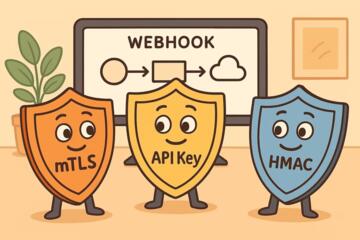
| Webhooks | Custom event sources and near-real-time updates | Endpoint security, payload validation | Missing headers or unexpected payload shape |
Step-by-step checklist for a first integration run:
- Write down the trigger event and the destination action in one sentence.
- Collect one real sample payload from the source app and inspect field names and types.
- Map only required fields, then add a validation step for missing or malformed values.
- Configure retries for transient errors and add a deduplication key to prevent duplicates.
- Run three tests: normal case, edge case, and filtered-out case.
- Review run history and confirm the destination record matches expected values.
- Turn on production traffic gradually, then monitor failures for the first day.
Common Mistakes
Skipping run history is the most common trust killer. If you can’t see the payload that reached each step, you can’t distinguish a mapping error from an API failure. Choose a tool that records run logs and exposes error messages with enough context to act.
Another mistake is building around display text instead of stable identifiers. A workflow that matches “Plan A” might break when the vendor renames the plan to “Plan A (Annual).” Use IDs when available, and store the original source ID for traceability.
Users also overuse “send everything” payloads. Passing large objects increases the chance of hitting size limits and makes logs harder to read. Trim payloads early, then pass only the fields needed for downstream steps.
Finally, people forget about rate limits and pagination. Some connectors fetch only the first page of results, so you miss records after the first 50 or 100 items. If your use case involves lists, verify whether the connector supports pagination and how it behaves when the dataset grows.
FAQ
Do I need an API key to connect apps?
Many no-code tools use OAuth connections instead of API keys. You still need to authenticate, but the tool manages tokens and scopes through its connection UI.
What is a webhook in no-code setups?
A webhook is an HTTP callback that receives an event payload from one service to another. In no-code, you configure the endpoint and payload mapping without writing server code.
How do I prevent duplicate records?
Use a deduplication key such as the source event ID or an external ID field in the destination. Configure the workflow to update existing records when the key matches.
Why does my workflow fail after working for weeks?
Common causes include expired OAuth permissions, changed field names or types, and rate-limit responses that weren’t handled. Run logs usually show which step failed and what error came back.
Can I connect apps that do not have a connector?
Yes, if the app supports webhooks or exposes an API. In no-code, you can often use a webhook trigger plus a generic HTTP request step, depending on the platform.
Author's Insight
No-code app connections behave like small integration systems: they need stable identifiers, predictable data types, and clear failure handling. The most reliable workflows treat mapping as a testable boundary, not a one-time configuration. When you review run history and payload samples, you learn faster than by guessing from a generic “failed” status.
Because each platform’s connector behavior differs, you should validate with real payloads from your source app and confirm how retries and deduplication work. If you plan to scale beyond a few hundred events per day, you should also check rate limits and how the tool paginates list responses.
Key Takeaways
- Choose triggers with stable IDs and add filters to reduce noise.
- Map fields with attention to types, especially dates, phone numbers, and currency.
- Configure retries and deduplication so transient errors do not create duplicates.
- Use run history and payload inspection to debug quickly and avoid silent data issues.
- Secure connections with least-privilege scopes and separate test vs production credentials.