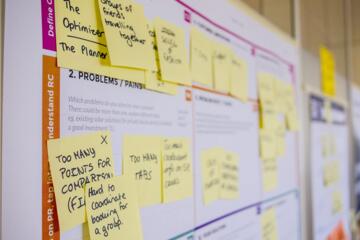
Task Tracking Limits
Cognitive load describes the mental effort required to process information and keep goals active. “Tracking tasks” usually means you maintain the task state in working memory while also monitoring for changes, interruptions, and next actions. Working memory is limited, so the number of tasks you can track at once depends on how similar the tasks are, how often they interrupt each other, and how well you externalize details. A common pattern is that people can juggle several intentions for a short time, then performance drops when they need to recall exact steps. In practice, the limit shows up as missed details, delayed starts, and slower recovery after interruptions.
Externalizing information changes the math. If you write down the next action, the reminder becomes a cue rather than a mental item. If you rely on memory, each task consumes attention and storage, even when you are not actively working on it. This is why a calendar entry with a clear next step often feels “lighter” than a vague reminder like “follow up.” I once tested a simple workflow on a workday in late June using a plain text task list and a timer; the list reduced the number of times I had to re-check what I was doing, which felt like fewer mental tabs open.
Task similarity matters because overlapping cues compete. Two tasks that both require “reviewing documents” can interfere with each other more than a task that requires “waiting for an email” and another that requires “writing a short reply.” Interruption frequency also matters: a task you can pause for 30 minutes without losing context is easier to track than one that needs continuous monitoring. The same person can track more tasks during a quiet block than during a meeting-heavy day, even with identical tools.
Where People Misjudge It
People often treat “I can remember the goal” as the same thing as “I can track the task.” Remembering a goal is cheaper than tracking the task state, because tracking includes knowing what changed, what is pending, and what the next action is. Another common error is counting only active tasks and ignoring background tasks that still demand attention, such as waiting for approvals or monitoring for messages. A third error is assuming that switching tasks is neutral; task switching adds overhead because you must reorient to the new context.
Supporting technologies can either reduce or increase load. A notification system that pings for every message can fragment attention and force frequent context resets. A single inbox with mixed priorities increases the need to decide what to do next, which consumes working memory. Conversely, a well-structured system with separate queues for “waiting,” “next actions,” and “reference” reduces the number of decisions you must hold in mind. Tools matter, but the mechanism matters more: external cues reduce internal tracking, while constant interrupts increase internal tracking.
Even with good tools, people overestimate capacity when tasks share the same cognitive “shape.” For example, tracking three writing tasks at once often fails because each requires similar retrieval of facts, tone, and structure. Tracking one writing task plus two “waiting” tasks can work better because the waiting tasks do not demand continuous mental processing. When tasks require frequent updates—like “check for responses” or “monitor a dashboard”—the effective number of trackable tasks drops.
Reduce Load With Systems
Use Next-Action Cues
Write each task as a next action that you can start in under a few minutes. If the next action is unclear, you will spend working memory trying to reconstruct it later. A practical target is to keep next actions at a “single step” level, such as “draft email to X,” “call pharmacy for refill status,” or “open document and add section heading.” If a task needs multiple steps, split it into separate next actions and link them with a short note. Many people skip this granularity, then wonder why the list feels heavy.
Tools can be simple: a notes app, a plain text list, or a task manager. The key is that the cue is external and specific. If you use a task manager, test one rule: when you add a task, you should be able to read it and know what to do without opening other tabs. I used a basic checklist approach in a browser-based workflow on 2026-01-14 and found that “next action” phrasing reduced my re-reading time, which is a small but measurable reduction in cognitive friction.
Batch Similar Work Blocks
Group tasks by cognitive mode so you do not keep switching mental gears. A “writing block” can include drafting and editing, while “admin block” can include scheduling, forms, and email triage. Timeboxing helps because it limits how long you hold multiple intentions in mind. A realistic starting point is 25–45 minute blocks for knowledge work, then a short break to reset attention. If interruptions are frequent, shorten blocks to reduce the cost of losing context.
Batching also reduces the number of times you must decide “what next.” If your admin block always starts with the same step—like scanning for urgent messages—your brain does not rebuild the plan each time. This is not about productivity theater; it is about reducing decision load. When you batch, you trade flexibility for stability, and stability is what working memory needs.
Limit Active Tracking Slots
Set a small number of “active tracking slots” for tasks that truly need monitoring. A practical method is to keep a short “today” list with 3–5 items that have a clear next action and a defined completion condition. Everything else goes into a “later” queue or a “waiting” list. If you exceed 5 active items, you usually start relying on memory again, which increases load and errors.
Use a rule for interruptions: when you get a new request, capture it immediately and decide its slot later. If you decide immediately, you risk adding another active item and overloading the system. If you decide later, you risk forgetting details, so capture must be fast and reliable. A mild frustration many people face is that capture tools feel slow until you standardize them; once you standardize, capture becomes a reflex.
Design Recovery After Breaks
Recovery time after interruptions determines how many tasks you can track. For each active task, keep a “resume cue” such as the last paragraph to continue, the last checked item, or the exact question you were answering. This can be a single line at the end of a document or a note in your task system. When you return, you spend less working memory reorienting, which reduces the overhead of switching.
For waiting tasks, define what “done” means. “Waiting for approval” becomes a trackable task only if you know when to check and what evidence counts as progress. A realistic check cadence might be once per day for low-urgency items and multiple times per day for time-sensitive items, but the cadence should match the risk. If you check too often, you increase load without gaining meaningful information.
Case Examples With Real Constraints
Scenario 1: Student study session. A student plans to study for two exams and also “keep up with messages.” They add 8 tasks to a single list: read chapter 4, make flashcards, review notes, practice problems, email professor, check group chat, update spreadsheet, and plan next week. During the session, they switch between reading and messages, then lose track of which problems they already solved. The fix is to set 4 active tracking slots: one study block task, one practice task, one flashcard task, and one admin task. Messages move to a scheduled batch window, and the student writes a resume cue like “continue from problem 12” at the end of each practice segment.
Scenario 2: Remote work with approvals. A project coordinator tracks multiple requests across teams: status updates, vendor questions, and internal approvals. The coordinator keeps everything in an inbox and relies on memory for follow-ups. After a meeting, they forget which approvals were already requested and resend duplicate questions. The fix is to separate queues: “next actions” for items that can be started now, “waiting” for items awaiting a response, and “reference” for documents. Each waiting item includes a check date and a one-line progress note. The coordinator also limits active tracking to 3–5 items during the first hour of the day, then expands only after the initial batch is cleared.
Checklist For Task Capacity
Use the following comparison to decide whether you are tracking tasks or just remembering intentions.
| Situation | What you track | Common failure mode | Practical adjustment |
|---|---|---|---|
| 3–5 next-action items | Clear next steps with a start point | Minor errors from interruptions | Batch similar work and add resume cues |
| 6–10 mixed intentions | Goals without next actions | Forgetting details and delayed starts | Split tasks into next actions and move extras to later |
| Many waiting tasks | Status changes and check times | Over-checking and inbox churn | Define check cadence and use a waiting queue |
| High-interruption day | Context across frequent resets | Slow recovery after meetings | Shorter blocks and stronger resume cues |
Step-by-step checklist you can run in 3 minutes:
- Write down every task you are trying to track today.
- Mark which tasks have a next action that you can start immediately.
- Keep only 3–5 next-action tasks in your active list; move the rest to later or waiting.
- For each active task, add a resume cue or a “done” condition.
- Schedule one batch window for messages and one for admin work.
- After the first block, review what you missed and adjust the active list size for the next block.
Common Mistakes That Inflate Load
A frequent mistake is using a single list for everything, including reference material, waiting items, and tasks. That forces constant scanning and decision-making, which increases cognitive load. Another mistake is writing tasks as vague reminders like “work on taxes” or “follow up,” which requires mental reconstruction later. People also underestimate the cost of interruptions by treating them as external events rather than context resets.
Some readers try to solve the problem by adding more tools, which can backfire. If you split tasks across multiple apps, you increase the number of places you must check, which raises load. A better approach is to pick one system for task state and one place for reference. Another mistake is ignoring the “waiting” category; when waiting items sit in the same queue as active tasks, you keep them mentally active even though they cannot move forward.
Finally, people assume that tracking more tasks always means working harder. In reality, tracking more tasks often means spending more time recovering from errors and re-checking details. If you notice repeated rework, duplicates, or missed steps, reduce the number of active slots before changing anything else.
FAQ
How many tasks can I track?
Most people track about 3–5 tasks reliably when each has a clear next action and a defined “done” condition. The number drops when tasks interrupt each other, share similar cues, or lack resume cues.
Does task switching always reduce performance?
Task switching usually adds overhead because you must reorient to context and retrieve the next step. The cost varies with interruption frequency and how specific your resume cues are.
What counts as “tracking” versus “remembering”?
Tracking includes knowing the current state, the next action, and what evidence would mark progress. Remembering a vague intention without state is cheaper but fails when details matter.
How do notifications affect cognitive load?
Frequent notifications fragment attention and increase context resets, which raises the mental cost of keeping multiple tasks active. Batching messages reduces the number of interruptions per hour.
Can checklists help with cognitive load?
Checklists reduce load by turning memory demands into external cues. They work best when each item is actionable and when you stop using the checklist as a substitute for defining next actions.
Author's Insight
Cognitive load limits come from working memory constraints and the overhead of context switching, not from a lack of willpower. Practical systems reduce load by moving task state and next steps into external cues, then limiting active items to a small set. Evidence from cognitive psychology supports the idea that interruptions and similar task demands increase interference, which reduces effective capacity. The most reliable approach is to measure your own failure modes—missed steps, duplicates, slow recovery—and adjust active tracking slots and batching accordingly.
Key Takeaways
- Track fewer tasks when tasks lack clear next actions or resume cues.
- Use 3–5 active next-action slots, then move the rest to later or waiting.
- Batch messages and admin work to reduce interruption-driven context resets.
- Define “done” and check cadence for waiting tasks so they do not stay mentally active.
- Reduce rework by improving task phrasing, not by adding more tools.